


AI automation is no longer about connecting a few tools. It is about choosing the right platform that can support scale and long-term operational efficiency. Choosing the right automation platform early reduces integration complexity, migration costs, and long-term operational overhead.
This article compares n8n vs Make vs Zapier vs Agentforce to help you understand how these leading AI automation platforms differ in features, flexibility, scalability, and AI capabilities. If you’re evaluating the best AI automation tools for your business, this comparison will help you make an informed decision.
This article helps you understand:
- How n8n, Make, Zapier, and Agentforce differ.
- Which AI automation platform fits your workflow requirements?
- How to choose between today’s leading workflow automation platforms based on your requirements.
Quick Comparison Table: N8n vs Make vs Zapier vs Agentforce
To compare n8n vs Zapier vs Make vs Agentforce more easily, start with this quick overview of their key capabilities and use cases.
| Criteria | n8n | Make | Zapier | Agentforce |
| Best For | Developers & technical teams | Growing businesses | Non-technical users | Large enterprises |
| Deployment | Self-hosted or cloud | Cloud-based | Cloud-based | Salesforce ecosystem |
| Ease of Use | Moderate | Easy | Very Easy | Moderate |
| AI Capabilities | Custom AI workflows | AI-powered automations | AI actions & assistants | Autonomous AI agents |
| Integrations | 500+ apps & APIs | 2,000+ apps | 7,000+ apps | Salesforce-native ecosystem |
| Workflow Complexity | Advanced | Advanced | Basic to Moderate | Enterprise-grade |
| Customization | Very High | High | Limited | High |
| Scalability | High | High | Moderate | Very High |
| Pricing Model | Open-source / execution-based | Operation-based | Task-based | Enterprise pricing |
| Best Use Case | Custom AI automation | Multi-step business workflows | Quick no-code automation | Enterprise AI-driven operations |
N8n: Flexible, Self-Hosted, and Developer-Friendly
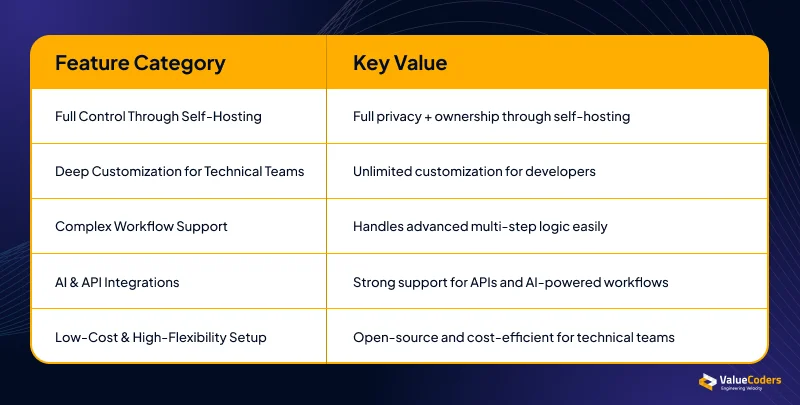
N8n is an open-source tool that gives teams full control over where and how automation runs. N8n integration capabilities are designed for high-end customization, allowing self-hosted workflows.
Full Control Through Self-Hosting
- You can host it on your own server.
- Greater control over hosting, security, and infrastructure.
- Ideal for teams needing strong privacy.
Deep Customization for Technical Teams
- Developers can edit and extend workflows.
- Complex logic can be added easily.
- Supports highly customizable workflows.
Complex Workflow Support With Nodes and Logic
- Supports very advanced flows.
- Allows deep branching and conditional paths.
- Works well for technical use cases.
Strong AI and API Integration Capabilities
- Connects with APIs easily.
- Supports AI models and external services.
- Helps build powerful, AI-driven flows.
Low-Cost, High-Flexibility Setup
- Open-source means cost-friendly.
- Great for teams wanting power with low cost.
- Best for technical teams.
Pros and Cons :
Pros
- Full control through self-hosting
- Strong AI and API integrations
- Highly customizable workflows
Cons
- Requires technical expertise
- Setup and maintenance can take time
N8n offers full control but needs technical skill. Next, let’s do a comparison of n8n vs other automation tools, starting with Make.
Also Read: Top Automation Tools to Streamline Your Workflow
Make: Visual, Powerful, and Built for Multi-Step Automation
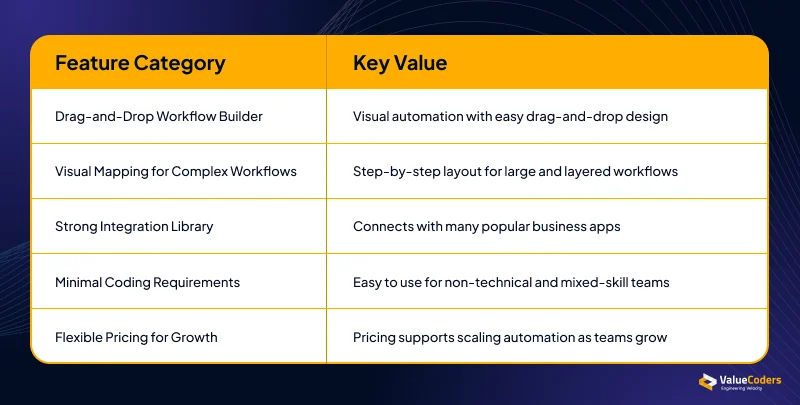
Make is widely adopted as an enterprise-grade automation tool, famous for its visual style. It helps teams build complex workflows using a drag-and-drop interface.
Drag-and-Drop Workflow Builder
- Very visual.
- Easy to understand flow structure.
- Great for teams that like diagrams.
Visual Mapping for Complex Workflows
- Let users design big workflows easily.
- Helps break down logic step by step.
- Makes debugging simple.
Strong Integration Library for Business Apps
- Connects to many tools.
- Supports business apps used by growing companies.
- Easy to expand integrations.
Suitable for Teams With Minimal Coding Skills
- You don’t need to code much.
- Non-technical members can build flows.
- Good for mixed skill teams.
Flexible Pricing for Growing Teams
- Plans that fit different needs.
- Good value for medium complexity workflows.
- Scales well for teams with growing automation load.
Pros and Cons:
Pros
- Easy visual workflow builder
- Supports complex automations
- Large integration ecosystem
Cons
- Advanced workflows can become difficult to manage
- Costs may increase as usage grows
Make works great visually. Now let’s move to Zapier, a tool known for simplicity.
Also Read – RAG, Chatbots, or Workflow Automation? Choosing the Right AI Approach
Zapier: Simple, Fast, and Ideal for Quick Automations
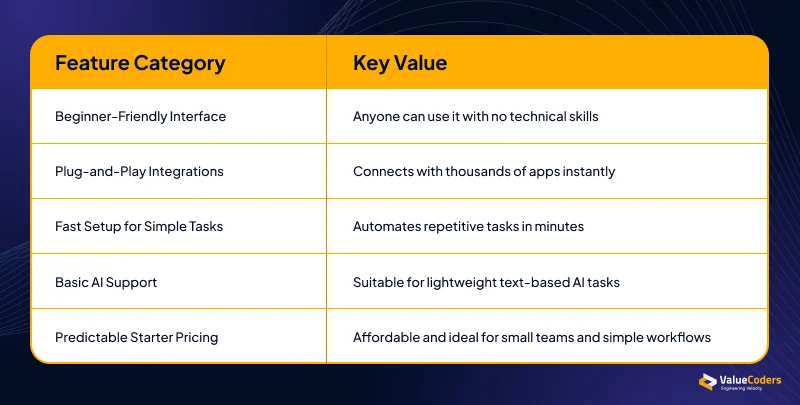
Zapier is one of the simplest automation tools. It helps people automate tasks quickly without any technical knowledge.
Easiest Platform for Non-Technical Users
- Anyone can use it.
- Very beginner-friendly.
- Perfect for simple tasks.
Huge Library of Plug-and-Play App Integrations
- Connects with thousands of apps.
- No setup complexity.
- Everything is ready to use.
Fast Setup for Simple Repetitive Tasks
- Build a workflow in minutes.
- Helps automate emails, forms, and notifications.
- Saves time instantly.
Basic AI Features for Lightweight Use Cases
- Basic AI tools for text tasks.
- Suitable for simple AI workflows.
- Not built for heavy AI loads.
Predictable Pricing for Teams Just Starting Out
- Easy pricing structure.
- Works well for small teams.
- Good value if your workflows are small.
Pros and Cons:
Pros
- Very easy to use
- Thousands of app integrations
- Fast workflow setup
Cons
- Limited customization
- Can become expensive at scale
Zapier is simple and fast. Now, let’s move to a platform built fully around AI, Agentforce.
Also Read – How To Measure The ROI Of Generative AI Projects
Agentforce: AI-Native Automation for Advanced Use Cases
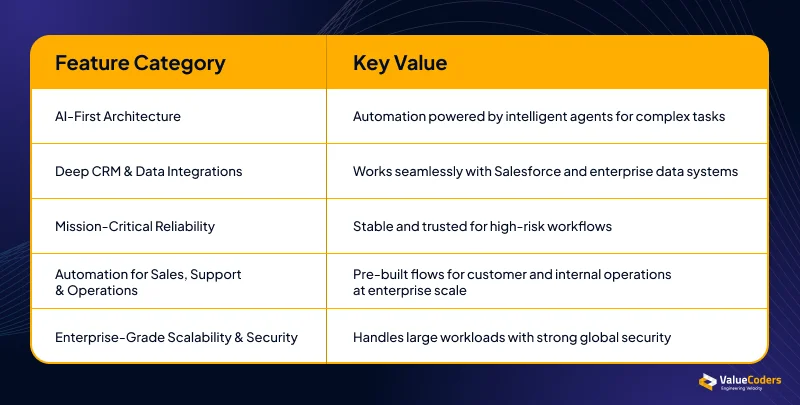
Agentforce is Salesforce’s AI-powered automation tool. Salesforce automated testing, it ensures that AI agents remain reliable, secure, and compliant with enterprise standards.
AI-First Architecture Built Around Agents
- AI drives the automation.
- Agents can perform complex tasks.
- Ideal for advanced use cases.
Deep Integration With Enterprise CRMs and Data
- Works perfectly with Salesforce.
- Connects deeply with enterprise data.
- Good for companies with large data systems.
High Reliability for Mission-Critical Workflows
- Very stable.
- Ideal for high-risk tasks.
- Great for industries needing strict reliability.
Strong Automation for Sales, Support, and Operations
- Pre-built flows for service and sales.
- Helps automate customer and internal tasks
- Built for enterprise scale
Enterprise-Grade Scalability and Security
- Handles large workloads
- Strong security
- Good fit for global teams
Pros and cons:
Pros
- Built for AI agents
- Deep Salesforce integration
- Enterprise-grade security
Cons
- Best suited for Salesforce users
- Maybe more than small businesses need
Implement managed automation pods that deliver faster, cleaner, and smarter outcomes.
Which AI Automation Platform Fits Your Business?
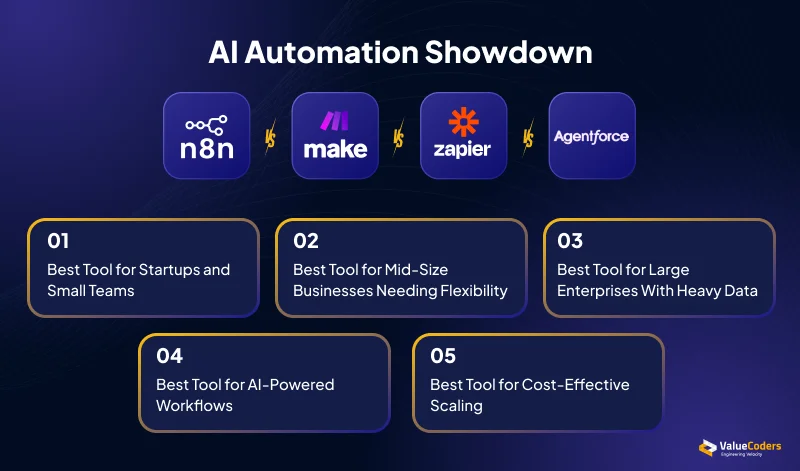
Each platform is built for different needs. The right choice depends on your team, budget, and automation goals.
Choose n8n If You Need More Control
- Host workflows on your own server.
- Build custom AI and API integrations.
- Create advanced workflows with custom logic.
- Keep costs low as automation grows.
Choose Make If You Want Visual Automation
- Build workflows using drag-and-drop tools.
- Manage complex processes more easily.
- Connect multiple business applications.
- Scale workflows as your business grows.
Choose Zapier If You Want Simplicity
- Set up automations quickly.
- Connect thousands of popular apps.
- Automate everyday business tasks.
- No technical skills required.
Choose Agentforce If You Need Enterprise AI
- Build and deploy AI agents.
- Work seamlessly with Salesforce.
- Automate sales, support, and operations.
- Handle large-scale business workflows securely.
No platform is right for every business. Choose the one that best matches your team’s skills, workflow needs, and growth plans.
Final Thoughts
Choosing between these best-rated automation platforms depends on your business requirements, technical expertise, and automation goals.
If flexibility and customization are your priorities, n8n is a strong choice. Make works well for teams that want powerful workflow automation.
Zapier is ideal for businesses looking for fast, no-code automation. Agentforce stands out for enterprises seeking AI-powered automation.
The best AI automation platform is the one that matches your team’s skills. Evaluating these factors early can help you avoid costly migrations.
Our AI and automation experts can assess your requirements and recommend the best solution for your business.
Frequently Asked Questions
Q. What is the best AI automation platform for a small startup?
Ans. Zapier is a good option for startups because it is easy to use and quick to set up. If your team has technical skills and wants more control, n8n can be a cost-effective alternative.
Q. Does Zapier support building autonomous AI agents?
Ans. Zapier includes AI features and integrations that help automate tasks. However, it is not designed specifically for building autonomous AI agents like Agentforce.
Q. Can I run n8n for free on my own servers?
Ans. Yes. n8n is open source and can be self-hosted on your own server. This gives you more control over your data and helps reduce software costs.
Q. Which workflow automation platform offers the most cost-effective solution for small to medium-sized businesses?
Ans. n8n is often the most cost-effective choice for businesses with technical teams because it is open source.